Refreshing older posts is usually where WordPress SEO quality breaks down. Teams update a few paragraphs, forget the metadata, leave stale internal links in place, and publish a page that looks newer without becoming more useful.
This workflow shows how to run a practical WordPress SEO content refresh with MCP so one editor or AI-assisted operator can review the page, update the right sections, tighten search intent, and push a cleaner result live without turning every refresh into a full rewrite.
When this workflow makes sense
A content refresh workflow is useful when a post already has some relevance but no longer matches the query cleanly. That usually means the page needs better framing, stronger examples, tighter metadata, or a more deliberate internal linking pass rather than a brand-new URL.
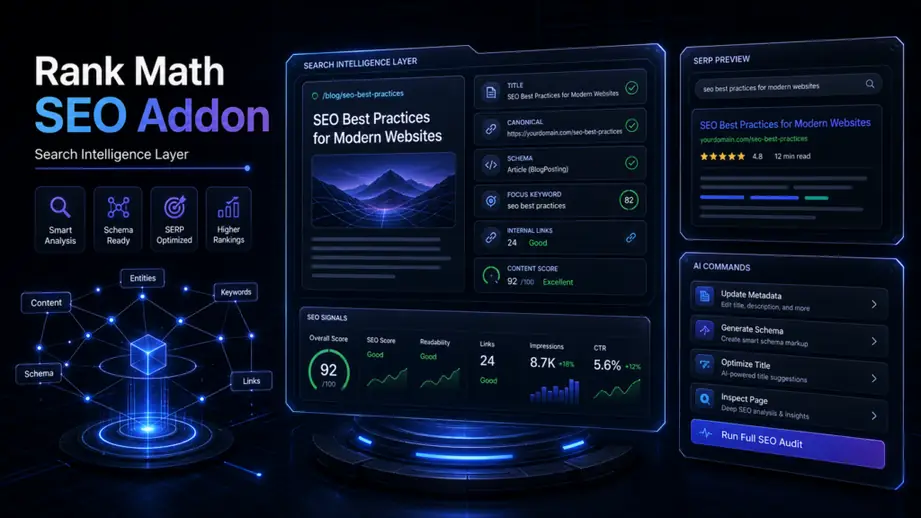
It also fits teams already using a broader Rank Math SEO workflow for WordPress MCP publishing and now want a repeatable way to improve existing content instead of only shipping net-new posts.
- The page still targets a valid topic, but the introduction no longer answers the search intent fast enough.
- The headings drifted away from the primary query as different editors added sections over time.
- Meta title, description, and image context no longer match what the page actually promises.
- Internal links still point readers toward outdated campaign pages or weaker supporting articles.
Before you start
Pick one post or landing page and define the outcome before touching the copy. A refresh is easier to control when the operator knows whether the goal is better click-through, cleaner search intent alignment, stronger internal navigation, or a more accurate handoff into a product or service CTA.
For teams managing recurring updates, this is the same discipline behind the editorial workflow for WordPress content teams: clear ownership, one page at a time, and a review trail for what changed.
- Confirm the post should keep its current URL. Do not change the slug just because the headline evolves.
- List the primary keyword and a small set of related phrases before editing.
- Check whether screenshots, diagrams, or supporting visuals are still accurate.
- Decide what the refreshed CTA should move the reader toward.
Step-by-step WordPress SEO content refresh workflow
1. Reconfirm the page intent before rewriting
Start by reading the current page like a first-time visitor. The useful question is not whether the article is “good.” The useful question is whether the page still solves the same problem the query suggests.
If the target query has shifted, refresh the framing first: title, first paragraph, section order, and examples. That prevents you from polishing details on top of the wrong angle.
2. Audit what stays, what moves, and what should be cut
Most refreshes fail because editors only add text. A stronger process separates the page into keep, revise, remove, and expand. That makes the final version easier to scan and reduces duplicate ideas that quietly weaken the page.

At this stage, update examples so they reflect a real WordPress workflow. If the article mentions approvals, publishing checks, plugin settings, or builder handoffs, make those examples concrete enough that an operator can follow them without guessing.
- Keep sections that still answer a real question.
- Revise sections with vague or repetitive wording.
- Remove filler paragraphs that only repeat the headline.
- Expand the parts where readers need action steps, warnings, or tradeoffs.
3. Refresh metadata and internal links together
Metadata should be updated after the body direction is clear, not before. Once the article reflects the right search intent, tighten the SEO title, meta description, and focus keyword so the search snippet matches the actual page.
The same pass should review internal links. If a sentence naturally points readers toward addons, agency workflows, or product context, link it then. This is where the WEBOMCP addons page or a service-focused article can help the reader take the next logical step.
A simple rule keeps the page cleaner: one strong internal link in the right paragraph is better than several exact-match anchors forced into the same section.
4. Review images as part of the SEO update
Featured images and inline visuals should support the refreshed message, not stay frozen from an older version of the article. If the page now emphasizes process clarity, metadata review, or editorial control, the images should reinforce that workflow.
That matters for both accessibility and reader trust. Accurate alt text, relevant visuals, and better placement help the page feel maintained rather than mechanically republished.
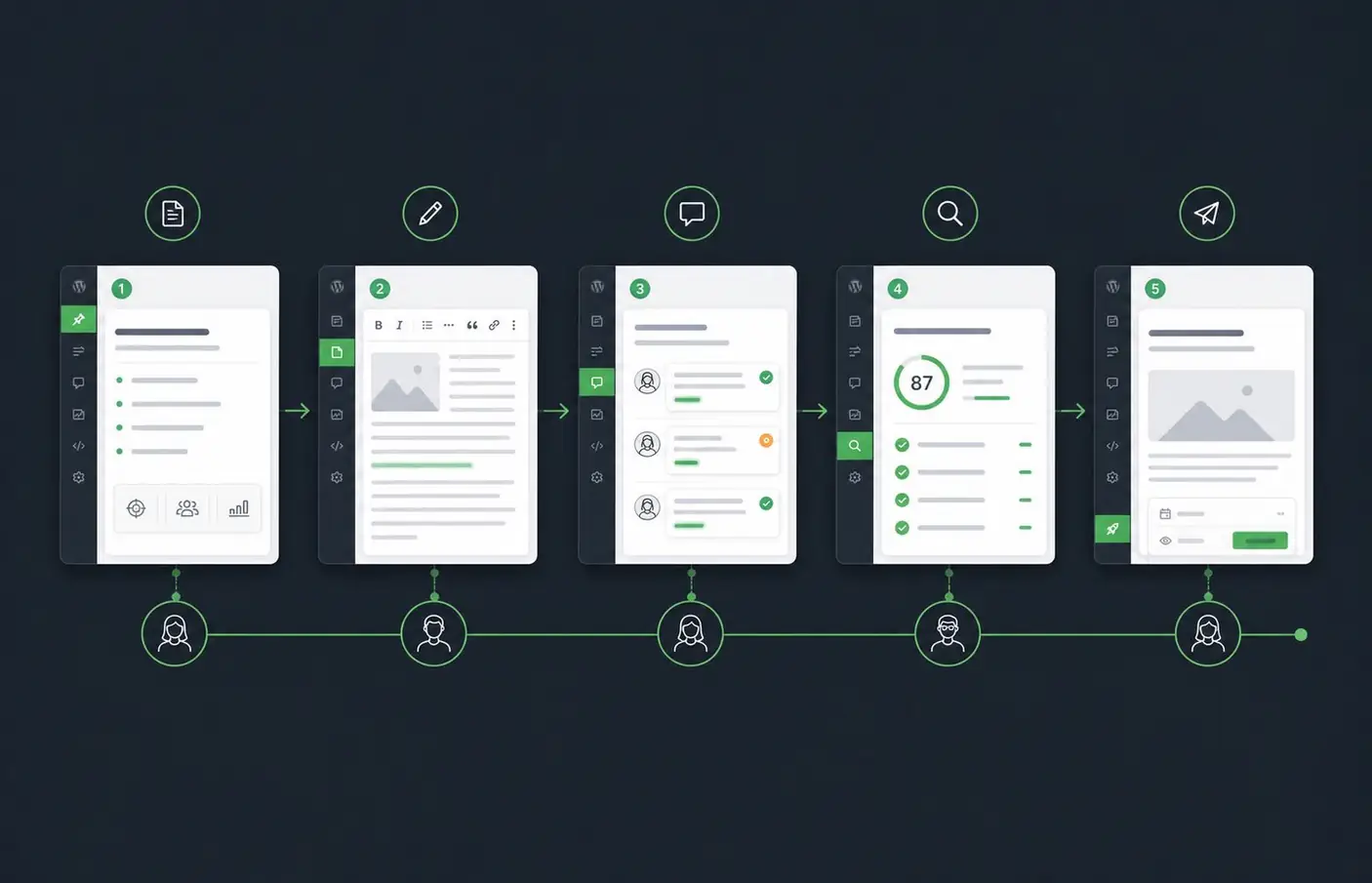
If the page includes screenshots, verify that the UI still matches the current workflow. If you only need a conceptual visual, diagrams usually age better than screenshots for evergreen content.
5. Run a final publish check
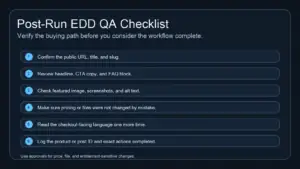
Before publishing, review the page as a whole instead of section by section. Check the title, slug, first paragraph, headings, CTA, internal links, image relevance, and metadata as one connected system.
This is especially useful for agencies handling multiple client sites. The same discipline behind WordPress MCP workflows for SEO agencies applies here: controlled updates, fewer manual clicks, and a clear final review before the page goes live.
Common mistakes in a content refresh workflow
The biggest mistake is treating a refresh like a cosmetic edit. A few line changes rarely fix a page that no longer matches the search intent or user journey.
- Changing the slug without a strong reason and creating unnecessary URL churn.
- Updating the copy but leaving the old meta description and focus keyword untouched.
- Adding internal links in batches instead of placing them where the reader naturally needs them.
- Keeping outdated screenshots, visuals, or CTA language after the article angle changes.
- Expanding word count when the real problem is weak structure or unclear examples.
Best practices for MCP-assisted refreshes
An MCP-assisted workflow works best when the AI is used for structured review and implementation support, not for blind rewriting. The operator should still decide what the page needs to achieve and what should stay untouched.
- Refresh one page per workflow run so the review stays specific.
- Use the primary keyword as a guide for section decisions, not as a repetition target.
- Keep a short checklist for metadata, internal links, image relevance, and CTA alignment.
- Use published supporting articles as internal-link targets instead of inventing new destination URLs.
- Prefer examples that reflect real WordPress operations such as editorial review, metadata updates, approvals, and publish QA.
If you need the workflow to scale beyond a single editor, map the refresh process to your existing publishing stack first, then decide which MCP actions should remain manual and which are safe to automate.
Conclusion
A strong WordPress SEO content refresh is not a rewrite marathon. It is a controlled pass that improves search intent alignment, metadata quality, internal links, and reader clarity without destabilizing a URL that already has value.
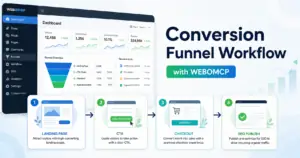
If you want that process to become easier to repeat across posts, teams, or client sites, WEBOMCP is the layer that helps connect editorial review, WordPress actions, and SEO updates into one practical workflow.
Next step: review your current publishing stack, identify one existing article that deserves a refresh, and use that single page to define the checklist your team will reuse on the next run.