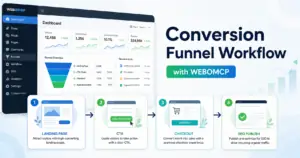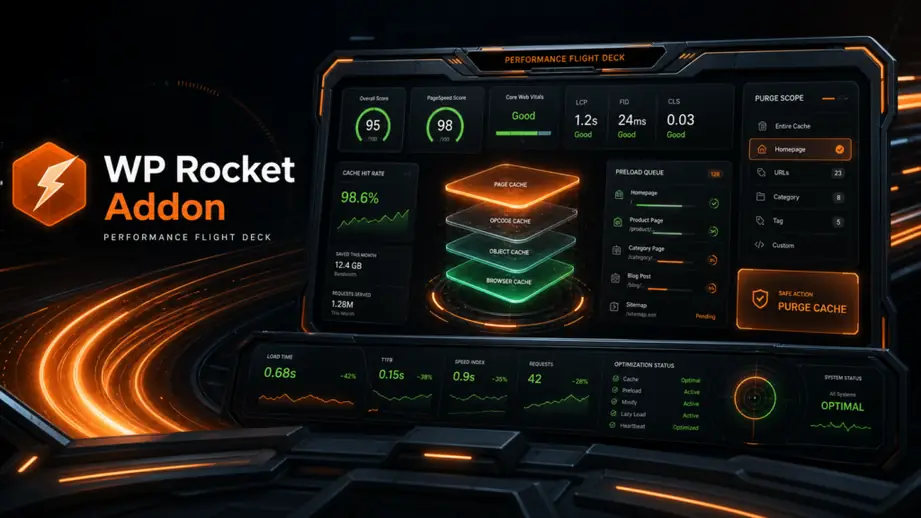
Performance work becomes fragile when cache settings, page updates, image changes, and SEO checks all happen in separate tabs with no shared review path. A practical WP Rocket workflow with WordPress MCP gives your team one controlled way to inspect what changed, prepare the right updates, and publish with fewer avoidable regressions.
This guide is for agencies, freelancers, and in-house WordPress teams that already manage performance-sensitive sites and want AI help without turning caching into guesswork. The goal is not to automate every optimization. The goal is to make performance changes easier to audit, safer to approve, and simpler to connect with the rest of your publishing workflow.
When performance changes need to live beside content, SEO, and media tasks, the WEBOMCP core workflow matters because it keeps those actions inside a WordPress-native process instead of scattering them across prompts and browser tabs.
What this workflow actually does
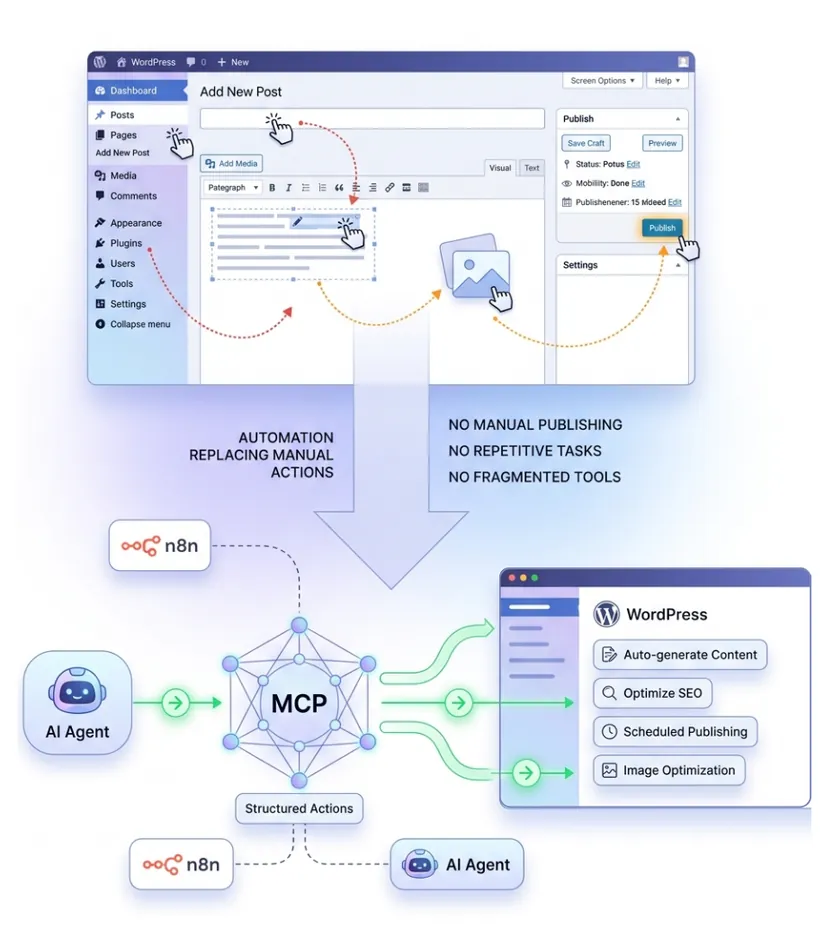
A WordPress MCP workflow connects an AI assistant to approved WordPress actions. When WP Rocket is part of that stack, the assistant can help review cache-related settings, check pages that are likely to be affected by a content update, organize pre-publish checks, and document the exact performance tasks that need approval.
This matters because performance work is rarely one setting change. A page update can affect lazy loading, critical CSS behavior, cache invalidation, JavaScript delays, image delivery, and how fast the updated page feels after publish. Treating those items as one workflow reduces the chance that a team ships content first and remembers performance second.
Why WP Rocket changes need stricter review
WP Rocket improves real WordPress workflows when the team knows what is being changed and why. The risky part is not the plugin itself. The risky part is making broad performance adjustments without checking which templates, scripts, or publishing steps depend on them.
For example, a cache preload decision can affect how quickly a newly updated landing page is visible. A JavaScript delay rule can change how Elementor interactions behave. A minification tweak can solve one page and quietly break another. That is why performance changes deserve the same approval discipline discussed in the WEBOMCP article on human-in-the-loop WordPress MCP approvals.
Before you automate anything, define which actions an assistant can take directly and which ones should stay in recommendation mode. On most sites, analysis, checklists, and publish-adjacent verification are safer starting points than direct global setting changes.
The WP Rocket WordPress MCP workflow step by step
The strongest process starts with scope, then current-state inspection, then change preparation, then post-change validation. That order keeps performance work attached to the real page or release instead of turning it into generic advice.
1. Start with a bounded performance task
Do not begin with a vague instruction like optimize site speed. Start with one narrow job: review cache impact before publishing a landing page, check whether a new page should be excluded from delay rules, verify media optimization on a blog update, or prepare a performance QA list for a campaign launch.
Narrow scope matters because the workflow should always know which page, template, or content object it is evaluating. That mirrors the logic behind Rank Math SEO workflow publishing, where metadata checks only become useful when they are tied to the exact post being updated.
2. Pull the current page and performance context first
Before suggesting any change, inspect the current state of the page and the workflow around it. That includes the post or page being edited, the builder or template involved, the types of assets loaded, and the existing cache-sensitive behavior that the team already relies on.
This is where MCP helps more than a standalone AI chat. The assistant can work against the live WordPress object, identify what is about to change, and prepare a checklist that reflects the actual page instead of a guessed scenario.
3. Prepare the performance change as a reviewable action set
Most teams should not let an assistant make broad WP Rocket decisions with no checkpoint. A stronger pattern is to prepare a reviewable action set first. That can include pages to purge, templates to retest, scripts worth checking after publish, and image-heavy sections that may need a closer look.
- List the pages or posts affected by the upcoming publish.
- Note whether Elementor, WooCommerce, or dynamic content is involved.
- Call out areas where delayed JavaScript or cached fragments could affect user experience.
- Flag media-heavy sections that deserve post-publish verification.
That kind of output is much easier for a human reviewer to approve than a broad request to make the site faster.
4. Validate the release path before and after publish
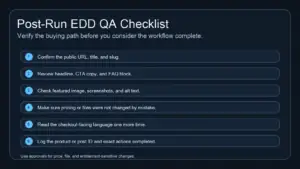
Performance work should not end when the content is ready. It should continue through the release checkpoint. That means confirming the final URL, reviewing the page after publish, and checking whether the performance-sensitive parts of the page still behave as expected.
For agencies managing several workflows at once, this step also benefits from the broader WEBOMCP addons layer because performance review often overlaps with media handling, publishing operations, and SEO checks in the same release cycle.
5. Keep security and permissions aligned with the task
Performance plugins affect site behavior globally, so access control matters. If the same assistant can inspect content, handle media, and influence performance-related actions, the permission model should be deliberate and narrow. The site-wide review principles in WordPress MCP security best practices are directly relevant here.
In practice, that means giving the assistant enough access to inspect and prepare work, but not more authority than the workflow actually requires.
Practical examples of WP Rocket workflows
The same workflow pattern supports several real WordPress use cases. The plugin settings may be stable for months, but the release checks around them can still benefit from structure.
Content launch QA
When a new article, campaign page, or lead magnet page is about to go live, the assistant can prepare a publish checklist that includes cache-sensitive review points, page-level validation, and links to the assets the team needs to recheck after publish.
Elementor performance review
If a team updates an Elementor landing page, the workflow can focus attention on layout-heavy sections, interaction scripts, image weight, and the places where a caching or delay rule is most likely to affect the final experience.
Commerce and promotional pages
On stores or checkout-adjacent pages, the assistant can help identify where performance tweaks need extra caution because dynamic content, cart behavior, or campaign scripts create more room for regressions.

Common mistakes to avoid
The failure mode is usually not that WP Rocket is too complex. It is that teams treat performance work as a one-click fix instead of part of a controlled release process.
- Changing too much at once: broad cache and script changes are hard to verify when multiple pages are moving at the same time.
- Skipping current-state inspection: an assistant needs the real page context before it can produce useful performance guidance.
- Separating performance from publishing: content updates and cache behavior affect each other more often than teams expect.
- Ignoring permission boundaries: global performance actions should not be bundled into an unrestricted automation path.
- Publishing without a post-change check: the final page still needs review after cache, asset, and content changes meet in production.
Where WEBOMCP fits
WEBOMCP fits when your team wants performance work to become part of a repeatable WordPress release workflow instead of a loose set of notes. It helps connect the page being changed, the tasks that need review, the tools allowed in the workflow, and the final publish verification.
That is especially useful for agencies and freelancers who manage performance alongside SEO, content, and builder workflows for several clients. The gain is not only speed. It is operational clarity.
Conclusion
A useful WP Rocket workflow with WordPress MCP is narrow, reviewable, and tied to real site changes. It should help your team understand what a publish or page update might affect, create a cleaner approval path, and reduce performance regressions that come from scattered execution.
If you want to turn performance checks into a repeatable WordPress process, explore the WEBOMCP pricing options and identify the first high-risk publish flow that deserves structured review.
FAQ
Can a WP Rocket MCP workflow change plugin settings automatically?
It can, but most teams should begin with analysis and review checkpoints first. Global performance settings are safer when a human approves the final action.
What is the best first WP Rocket workflow to automate?
Start with publish-adjacent QA for a specific page type, such as landing pages, blog launches, or Elementor updates. That gives the workflow a clear scope and a clear verification step.
Why pair WP Rocket with WordPress MCP at all?
Because performance work is more reliable when it is connected to the actual WordPress object being changed, the approved actions in the workflow, and the final publish review.